
demonstração pública sem download nem serial
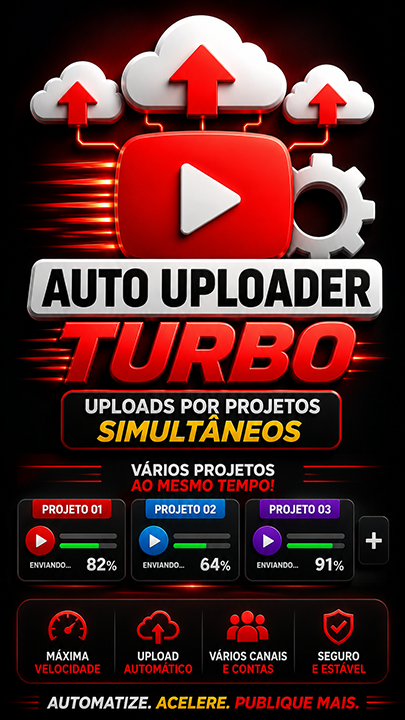
Auto Uploader Master Projetos Turbo
AUTO UPLOADER YOUTUBE faz por projetos e permite faze simultaneamente varios canais— ENVIO E AGENDAMENTO DE VÍDEOS EM LOTEFerramenta para desktop (Windows) que agenda e publica seus vídeos no YouTube automaticamente, di...
721visualizações públicas
Vídeodemonstração disponível
2áreas relacionadas
Gostou Desta Ferramenta?
Leve isso para uma oferta mais forte: acesso total, combo com treinamento ou a versao master com janela maior.
Apresentação
Especificações
Compatibilidade
Windows 10/11. Recomendado: Windows 11.
Última atualização20/10/2026 18:08
Versão / download
link atualizado em 20/10/2026
Tipo de acesso públicoSomente apresentação, vídeo e descrição. Download e serial seguem protegidos.
Atalho De Compra
Este espaço pega quem já viu a apresentação e está pronto para avançar.
O Que Essa Ferramenta Faz
AUTO UPLOADER YOUTUBE faz por projetos e permite faze simultaneamente varios canais— ENVIO E AGENDAMENTO DE VÍDEOS EM LOTE
Ferramenta para desktop (Windows) que agenda e publica seus vídeos no YouTube automaticamente, direto de uma pasta do seu computador. Ideal para quem tem pastas cheias de vídeos prontos e não quer subir um por um na mão. Funciona por automação do YouTube Studio (com o seu login salvo) — sem precisar configurar API do YouTube.
? O QUE ELA FAZ
• Sobe vários vídeos de uma vez, a partir de uma pasta que você escolhe.
• Separa Shorts automaticamente (vídeos verticais e curtos) dos vídeos normais.
• Usa a thumbnail (capa) que estiver na pasta com o mesmo nome do vídeo.
• Gera título, descrição e tags com inteligência artificial, no idioma do próprio vídeo.
• Agenda as publicações em datas e horários (1 por dia, vários por dia ou por dias da semana), sempre dentro de um horário seguro (das 06h às 22h).
• Trabalha com várias contas e vários canais — cada conta do Google fica separada, com o login salvo.
• Também agenda vídeos que já estão como rascunho no seu canal.
• Pode rodar com o navegador escondido (minimizado), sem ficar pulando na sua tela.
✅ ANTES DE COMEÇAR (O QUE VOCÊ PRECISA)
• Windows com o Google Chrome instalado.
• Seu serial de ativação (Like Points).
• Uma pasta com os vídeos prontos para subir. Se quiser capa própria, coloque a imagem com o mesmo nome do arquivo de vídeo (exemplo: meu_video.mp4 e meu_video.jpg).
? COMO USAR — PASSO A PASSO
1. Ative o programa: cole o seu serial e clique em Ativar. As chaves de IA são trazidas automaticamente pelo seu serial.
2. Adicione sua conta: clique em Nova conta e faça o login do Google na janela que abrir. Cada e-mail fica num perfil separado (não se misturam).
3. Detecte os canais: clique em Detectar canais e escolha em qual canal quer postar. Depois clique em Usar este canal.
4. Escolha a pasta: clique em Escolher pasta e aponte para a pasta dos vídeos. Clique em Varrer pasta — a ferramenta lista os vídeos, separa os Shorts e ignora o que já foi enviado.
5. Defina o SEO e a agenda: ajuste (se quiser) o contexto para a IA e os links fixos, escolha a estratégia de agendamento e a data/hora de início.
6. Envie para a fila: clique em Gerar SEO e enviar para a fila. O programa cria o título e a descrição, prepara a capa e agenda cada vídeo no seu canal. Acompanhe tudo pelo Log.
?️ AGENDAR RASCUNHOS QUE JÁ EXISTEM
Se você já tem vídeos em rascunho no canal (subiram mas ficaram sem data), escolha o canal, defina a agenda em "Agenda dos rascunhos" e clique em Agendar rascunhos deste canal. O programa encontra os rascunhos e agenda todos.
? CHAVES DE API — QUAIS SÃO E PRA QUE SERVEM
As chaves são trazidas automaticamente pelo seu serial e ficam guardadas com segurança — o programa NUNCA mostra o valor delas na tela. Na aba Configurações você vê, para cada serviço, se está "configurada" (SIM) ou não (NÃO), com um botão para cadastrar no painel se faltar.
• OpenAI (essencial): gera o título, a descrição e as tags (SEO) dos vídeos. É a única realmente necessária para o upload funcionar.
• OpenRouter (recomendada): usada como alternativa para o SEO e para gerar o fundo da thumbnail por inteligência artificial.
• AssemblyAI (opcional): transcreve o áudio para detectar o idioma do vídeo, usada quando o nome do arquivo não diz nada (exemplo: DCIM_1234.mp4). Assim o SEO sai no idioma certo.
• Pixabay (opcional): busca imagens de fundo para a thumbnail (banco de imagens).
• Pexels (opcional): mesmo uso do Pixabay, como segunda opção.
Resumo: com apenas a OpenAI configurada o programa já sobe e agenda os vídeos. As outras melhoram a thumbnail e o idioma. Se alguma aparecer como NÃO na aba Configurações, cadastre a chave no painel administrativo pelo botão indicado.
? DICAS
• Deixe na pasta apenas os vídeos prontos para publicar (não os arquivos brutos ou cortes).
• Para capa personalizada, use o mesmo nome do vídeo na imagem.
• Assista ao vídeo tutorial para ver o fluxo completo na prática.
Quer O Ecossistema Completo?
Depois de ler os detalhes, muita gente prefere já garantir o acesso maior em vez de decidir ferramenta por ferramenta.
Outras Ferramentas Para Mostrar Junto

![[ VVV ] Viral Vertical Videos Creator ( criador de videos verticais virais em serie )](https://ver.pulosdogatos.com.br/uploads/2026.07.25-13.53.55_quadrada.png)